Villain City Destroy Everything Villain City Controls Guide
PC, console, and mobile inputs for flight, smash, and Powers 1 / 2.
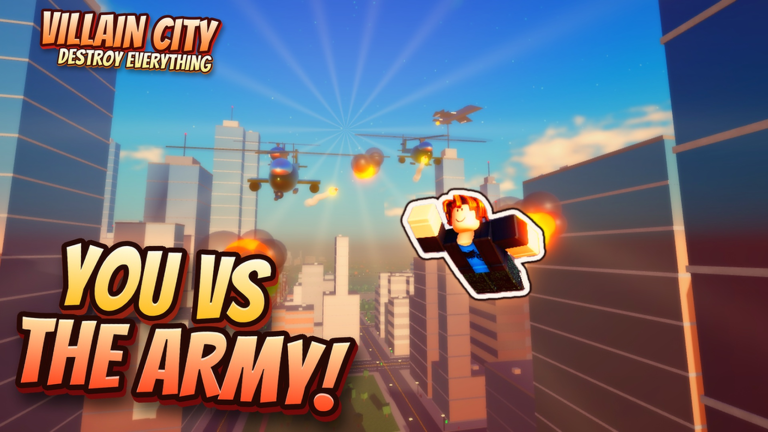
Mastering controls in Villain City: Destroy Everything is the difference between clean demolitions and dying to responders while you fumble a power. This guide covers PC, console, and mobile layouts, flight habits that keep you accurate, and how Powers 1 and 2 map across devices. Pair it with Getting Started for the day-one loop and Powers for when to fire each ability.
Why controls matter here
Villain City is vertical. You fly, dive, smash, climb, and re-engage while police, military, and later heroes fill the airspace. Bad camera work wastes cash. Late power presses miss buildings. Mis-mapped buttons on console or mobile make free trials feel weaker than they are. Spend ten minutes in a quiet district drilling inputs before you chase Omega Titan or raid timers.
PC controls
On PC, movement and camera follow standard Roblox patterns: WASD to move, mouse to look, space and related binds for jump or flight toggles depending on your current power state. Destruction uses your primary attack or interact flow on targeted structures — practice until you can finish a mid-size building without losing the camera into the ground.
Powers 1 and 2 sit on the 1 and 2 keys. Power 1 is your primary mapped ability; Power 2 is the alternate. During free trials of Thunder God, Meteor Storm, and Orbital Laser, deliberately swap which slot feels natural for burst versus area work. Do not leave both slots empty of muscle memory — in a Titan enrage or Hero HQ push you will not have time to hunt the keyboard.
Tips for PC:
- Rebind only if Roblox settings allow and you stay consistent across sessions.
- Keep fingers ready on 1 / 2 while the mouse steers flight; avoid looking down at the keys mid-fight.
- Use high mouse sensitivity carefully — overflicking during Orbital Laser aims wastes the shot.
- When chat or menus steal focus, close them before you re-enter combat airspace.
Console controls
Console players map powers to L2 and L1 (or the equivalent trigger / bumper pair on your pad). Treat L2 as Power 1 and L1 as Power 2 unless the on-screen prompt shows a swapped layout after an update — always glance at the HUD icons once per session.
Flight on a stick rewards gentle climbs and banked turns. Hard stick flicks into a building face cancel smash animations and drop you into responder fire. Practice a figure-eight over two city blocks: climb, strafe, descend, smash, climb. When that loop is smooth, add a power press at the top of the climb so ability aiming becomes part of the same motion.
Console checklist:
- Confirm L2 / L1 power icons match the kit you equipped.
- Lower camera shake in Roblox settings if demolitions blur your aim.
- Use the safer spawn bubble to test new binds after any patch.
- In co-op Titan attempts, call which player holds burst versus crowd control so triggers are not wasted on the same target.
Mobile controls
Mobile uses on-screen tap buttons for Powers 1 and 2 plus virtual sticks for move and look. Thumb congestion is the main failure mode: the flight stick, camera drag, and power buttons compete for the same screen real estate.
Mitigations that work in practice:
- Play in landscape with the highest comfortable UI scale that still leaves sky visible.
- Tap powers at the apex of a climb when your thumbs are freer, not during a precision smash.
- Prefer short smash sessions on dense blocks instead of marathon flights that tire your hands.
- If a free trial power needs precise aim (Orbital Laser), pause lateral movement for a beat, fire, then resume flight.
Mobile players should still complete the same day-one goals — free minion, lair start, cash from finished buildings — but expect slightly slower clear times until muscle memory settles. The Cash Farming routes remain valid; just shorten each loop.
Flight tips that transfer to every platform
- Climb first, smash second. Height shows targets and escape lanes.
- Finish buildings. Partial wrecks pay worse for the risk you already took.
- Disengage upward. When stars rise or heroes spawn, vertical exits beat street-level kiting.
- Return to spawn on purpose. The safe zone is a tool — reset camera, powers, and plan there.
- Link flight to economy. Every long flight should end in a demolition cluster, a lair visit, or a raid staging point — see Evil Lair and Nuke and Raids.
Powers timing versus movement
Powers are not a replacement for flight skill. Thunder God rewards being close enough to capitalize. Meteor Storm wants space above a cluster. Orbital Laser wants a stable hover and a clear sky line. If your movement is shaky, even an S-tier kit from the Powers Tier List underperforms.
Drill this sequence in an empty district: climb → align → Power 1 → strafe → Power 2 → descend smash → climb. Repeat until the sequence is boring. Boring means ready for Omega Titan and Paragon fights.
Common control mistakes
- Holding flight into the ground camera and missing smash prompts.
- Pressing both powers the instant a responder appears, then having nothing for the building you came to finish.
- On mobile, covering the power buttons with the camera thumb.
- On console, confusing bumper and trigger after switching games.
- Ignoring spawn as a recalibration space after a messy death.
Practice plan (fifteen minutes)
- Three minutes: pure flight figure-eights near spawn.
- Five minutes: smash four complete mid-size buildings with no powers.
- Five minutes: same buildings with Powers 1 / 2 woven in.
- Two minutes: intentional retreat to spawn without dying.
After that block, continue the Getting Started checklist or jump into minion and lair setup via Minions. Clean inputs make every other guide on this hub shorter in real playtime.
Frequently Asked Questions
Quick answers about powers, codes, Titans, and villain progression.
What keys are Powers 1 and 2 on PC?
Use the 1 and 2 keys. Confirm the HUD icons match Thunder God, Meteor Storm, or Orbital Laser after you equip a kit.
What are the console power buttons?
Powers map to L2 and L1 on typical pads. Check the on-screen icons each session in case a patch swaps prompts.
How do mobile players fire powers?
Tap the on-screen Power 1 and Power 2 buttons. Fire at the top of a climb when your thumbs are freer.
Should I rebind everything on day one?
Only if default binds feel wrong. Consistency beats clever layouts — drill the stock map before you rebind.